API Keys and API Docs
Create and delete API keys for your own software, and find endpoints and code samples in the built-in API reference.
An API key lets your own scripts and systems work with the platform without a browser: listing repositories, uploading images, running a model on a production line. You manage keys on the API Keys tab in settings. The endpoints you can call with them are documented in the built-in API Reference.
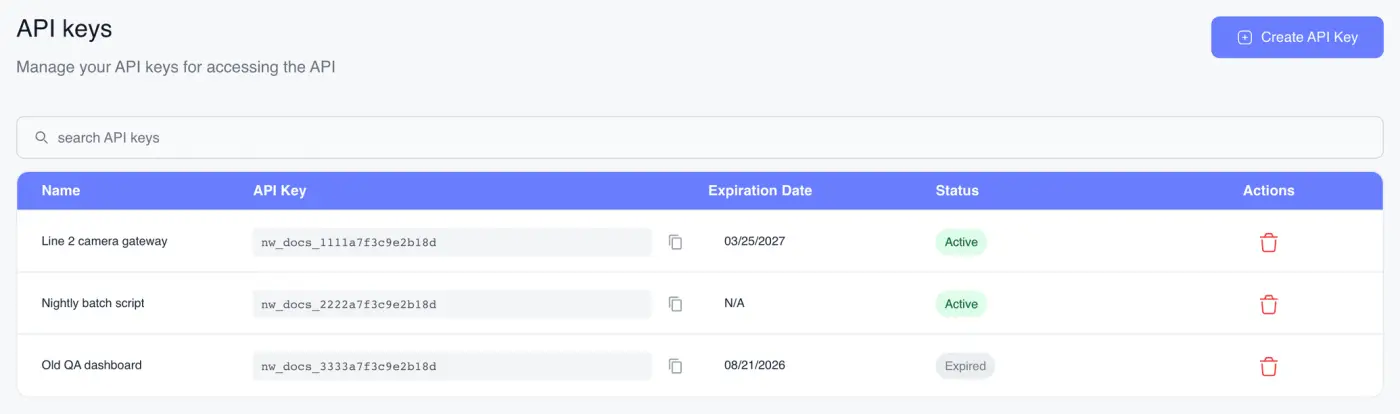
Open your API keys
Click your name at the top right and choose API Keys, or open settings and click the API Keys tab.
Both only appear if your role can see API keys. If they're missing, ask a workspace super admin for access.
Create a key
- Click Create API Key.
- Give it an API Key Name that says what will use it, such as "Line 2 camera gateway".
- Optionally set an Expiration Date (Optional). The earliest date you can pick is tomorrow. Leave it empty and the key doesn't expire.
- Click Create API Key in the dialog.
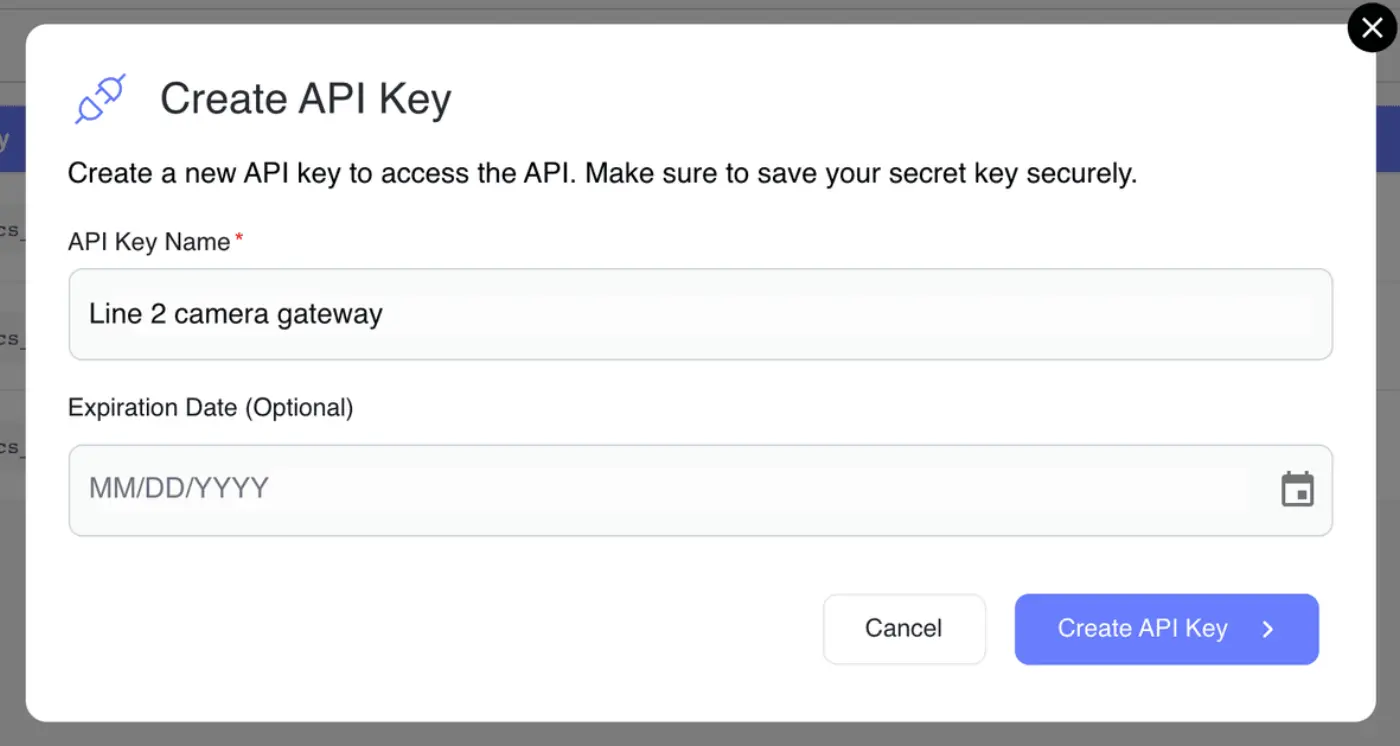
Name keys after the system that uses them rather than after a person. When you later need to delete one, a name like "Line 2 camera gateway" tells you exactly what will stop working.
Save the secret key
After you create a key, the API Key Created Successfully dialog shows two values:
- API Key identifies the key.
- Secret Key proves it's yours.
Copy both with the copy buttons and store them somewhere safe, such as a password manager or your deployment's secret store. The secret key is shown only once. After you click Close it can't be displayed again, by you or anyone else.
If you lose a secret key, delete the key and create a new one.
Your code sends both values as request headers on every call. The API reference's Authentication section shows exactly how.
Check whether a key still works
The table lists your API keys:
- Name is what you called it.
- API Key is the key's identifier, with a copy button. The secret is never shown here.
- Expiration Date is when it lapses, or N/A if never.
- Status reads Active, or Expired once the expiration date has passed.
An expired key stops working but stays in the list until you delete it, so you can tell which system went quiet. Use the search box to find a key by name or by its identifier.
Delete a key
Click the bin icon on a key's row and confirm with Delete.
Deleting takes effect at once and can't be undone. Anything still using the key starts failing straight away, so switch your systems to a new key first.
Creating and deleting keys need permission to manage API keys. Without it Create API Key and the bin icons are greyed out, and hovering them names the missing permission. You can still see and copy key identifiers if your role can read keys.
Open the API reference
Click your name at the top right and choose API Reference. It's in the menu for everyone.
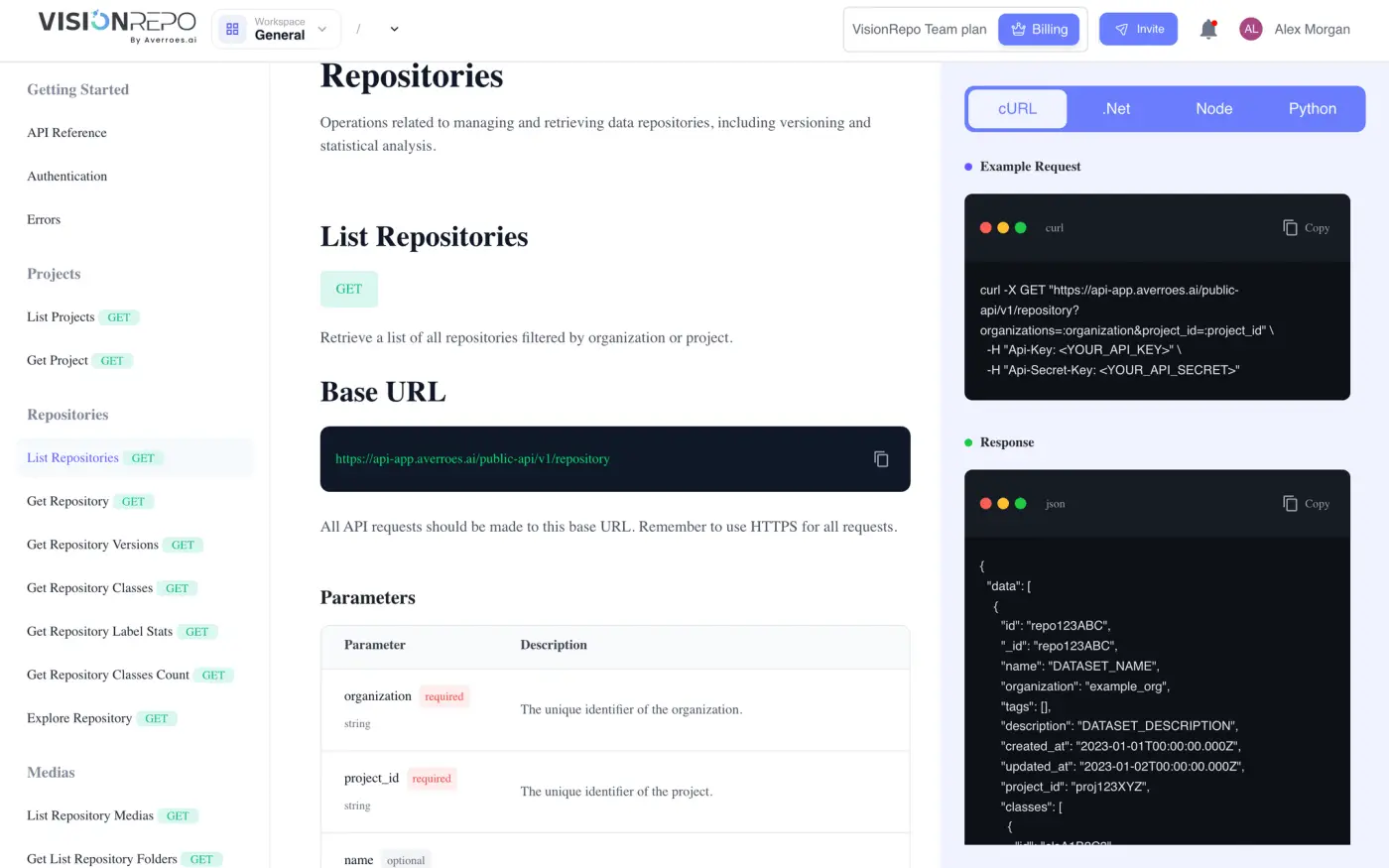
The sidebar starts with Getting Started, which has three sections worth reading before anything else:
- API Reference: the base URL and how requests are laid out.
- Authentication: the headers that carry your API key and secret key.
- Errors: the status codes you'll get back and what they mean.
Below that, endpoints are grouped by what they act on: Projects, Repositories, Medias and Models.
Each endpoint page describes the request parameters and the response, with a ready-to-copy example in cURL, .Net, Node and Python.
Test a single model first
For one model, the quickest check is its API integration panel, which shows the exact request for that model ready to copy. See Testing a Model and API Integration.