Action Log
See who did what in the workspace and when, narrow the list by person, request type or date, and open the full details of any action.
The action log is the workspace's audit trail. It records each request someone made (creating a project, deleting an image, changing a role, and so on), who made it, when, and whether it succeeded.
Only workspace super admins can see it. It covers everyone's activity, so it isn't open to other members, and no custom role can grant it.
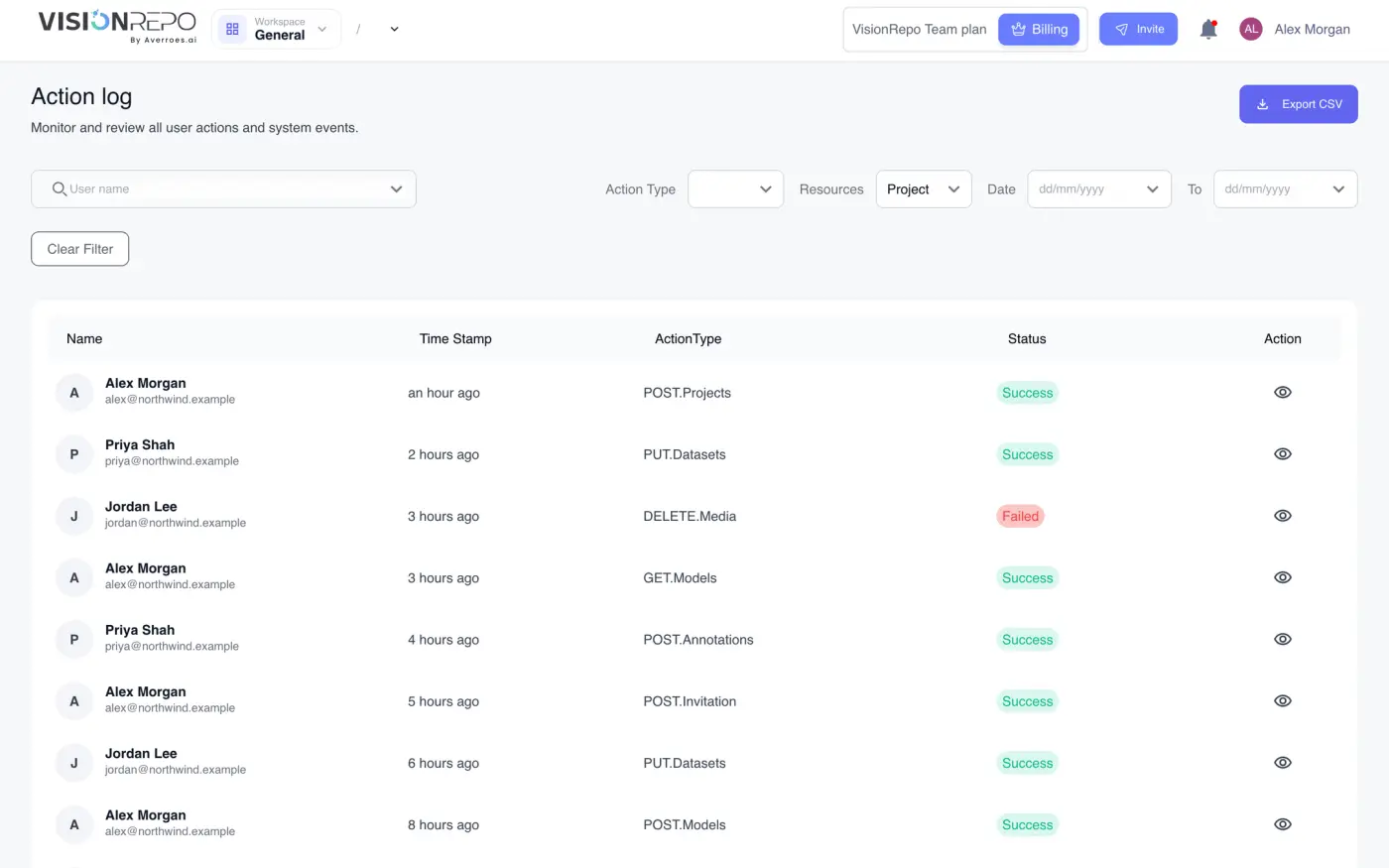
Open the action log
Click your name at the top right of any page and choose Action Log. If you're not a super admin, the menu item isn't there.
Read the list
Each row is one action.
| Column | What it shows |
|---|---|
| Name | The person who did it, with their email underneath. Actions with no person attached show Unknown User. |
| Time Stamp | How long ago it happened, such as "3 hours ago". |
| ActionType | The kind of request and what it acted on. |
| Status | Success, or Failed if the platform refused or couldn't complete it. |
| Action | An eye button that opens the full record. |
The action type uses the web request names that the platform uses internally. In plain terms:
| Type | Means |
|---|---|
| GET | Opening or reading something |
| POST | Creating something, or starting a job |
| PUT and PATCH | Changing something |
| DELETE | Deleting something |
Failed actions are worth a look too. A refused deletion or a permission error is logged just like a successful one.
The table pages through results from newest to oldest. Use the controls at the bottom to move between pages or show more rows at once.
Filter the list
The filters above the table combine with each other.
- User name: start typing a member's name or email and pick them from the list.
- Action Type: one of GET, POST, PUT, DELETE or PATCH.
- Date and To: the start and end of a date range. You can set either one on its own.
Clear Filter removes all of them. The filters aren't saved, so they're cleared when you leave the page.
Open the full record
Click the eye button at the end of a row. The Action Log Details panel opens on the right with:
- Log ID, the reference to quote if you ask Averroes about a specific action.
- Action Type, Status and Service Name (the part of the platform that handled the request).
- Basic Information: the exact Creation Date, the browser or tool it came from (Agent) and the IP Address.
- User Information: the person's User Name and Email.
- Payload: what was sent.
- Response: what came back. On a failed action, this is where you'll find the reason.
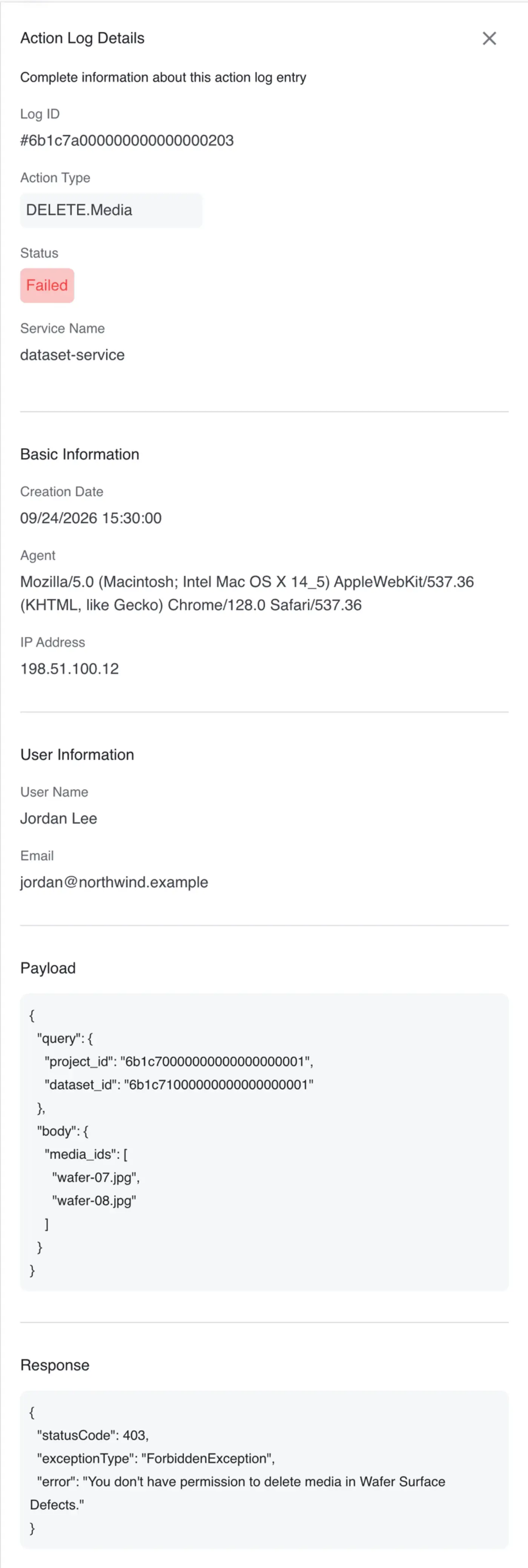
Agent is the browser or tool that sent the request, which usually tells you whether someone was using the web app or a script. Close the panel with the × at the top.
What the log doesn't do
- You can't edit or delete entries. That's what makes it useful as an audit trail.
- There's no free-text search. Narrow by person, type and date, then scan the list.