Vero: AI image annotation by a vision AI agent.
Speak to your data. Let Vero train your model. AI image annotation and much more, on your own images and video. Nothing changes without your OK.
An AI annotation tool for the whole workflow.
One computer vision AI agent: it labels, plans, trains and analyzes on your own images and video.
- Up to 20,000 images per job
- Reviews every image afterwards
- Labels arrive as drafts
- Up to 15 steps, approved once
- Irreversible steps are flagged
- Stop at any step
- Dashboards that stay live
- Charts in one answer
- Export to Power BI on Ultra
AI image labeling in your own words.
AI assisted annotation, step by step.
Describe it, or show one example
“Label the scratches in line-2”, or one labeled image as a template.
Vero labels the folder
Up to 20,000 images per job, then it reviews every image and fixes what it got wrong.
You approve the drafts
Labels land as unsaved drafts. Review them yourself or as a Review task, then save a version.
AI-assisted labeling where you decide.
Anything that changes data waits for an approval card. Irreversible actions are marked. Vero acts with your permissions only.
- Approve or reject each change
- Plans approved once
- AI labels stay drafts
AI assisted labeling vs model assisted labeling.
Both draft labels for people to review. They differ in where the model comes from.
AI assisted labeling: Vero
A general AI labels from a description or one example, so it works on a brand-new repository with no model.
Model assisted labeling: Auto Label
A model you trained on your own labels drafts the rest of the folder. Pro and Ultra.
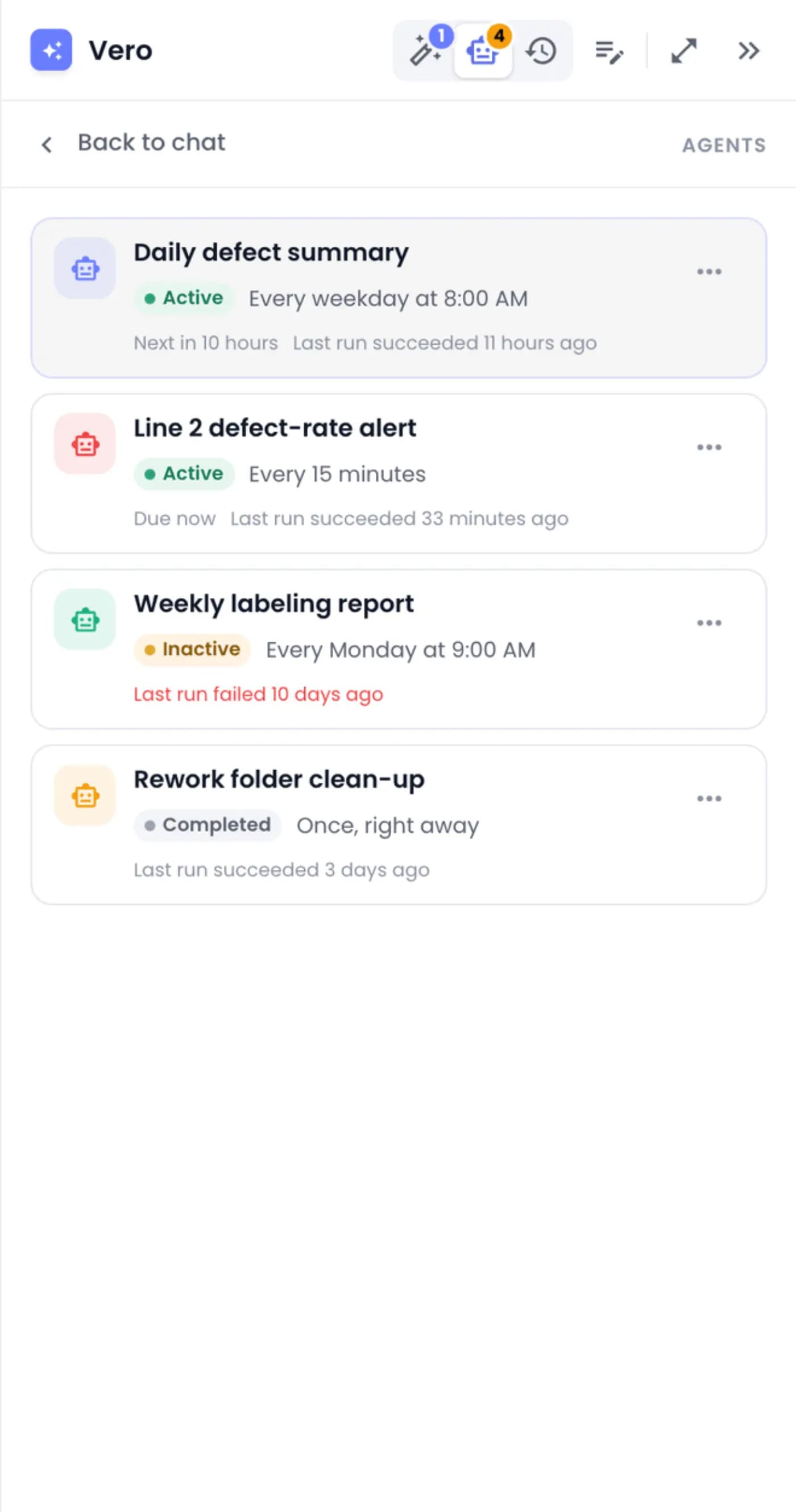
Scheduled reports and alerts.
Ask once for a daily report or an alert. Vero sets up an agent that emails you, on every plan.
- Daily or weekly
- Pause or edit any agent
- Every plan
 Sample data
AI labeling tool questions.
Is Vero a separate product?
No. It's part of VisionRepo, with a daily allowance shared by your workspace. Every action Vero takes is also a button in the app.
Can Vero change or delete data without asking?
No. Anything that changes data waits for an approval card, and irreversible actions are marked. Vero acts with your permissions only.
Do I need a trained model for Vero to label?
No. Vero labels from a description or one example image, up to 20,000 images per job.
How accurate are Vero's labels?
After labeling, Vero reviews every image and fixes wrong labels, missed objects, loose boxes and wrong classes. It's still AI, so review before you save.
What happens to photos I attach?
An attached photo stays in your chat for 30 days for follow-up questions. It's never added to a repository unless you upload it.
What can't Vero do yet?
Label classification repositories, import from cloud storage by chat, or keep chat charts live (ask for a dashboard instead). It isn't available on small screens.
Is Vero an AI annotation tool?
Yes, and more. Vero is an AI labeling tool that does AI image labeling from a description or one example, then reviews every image. Labels arrive as drafts for you to approve.
What is the difference between AI-assisted labeling and model assisted labeling?
AI assisted labeling uses a general AI, like Vero, to draft labels from a description, so it works on a new repository. Model assisted labeling uses a model you trained on your own labels; in VisionRepo that is Auto Label. Both are AI assisted annotation: people review the drafts.
Is Vero an AI labeling assistant?
Yes, and it does more than label: it trains models, charts your data and builds dashboards, always after your approval.
Is Vero an AI agent?
Yes. Vero is a vision AI agent: it plans the steps, uses the same tools you do, and waits for your approval before it changes anything.
Which AI models can Vero use?
Pick the model in the message box: Vero, Claude Fable or OpenAI Astra.
Are Vero Agents on every plan?
Yes. Ask Vero for a scheduled report or alert and it sets up an agent that emails you.
Ask Vero your first question.
Free plan, no credit card. Bring your own images or start from a sample.