An image annotation tool with four ways to label.
Label images and video frames by hand, in one click with Smart tools, with your own model, or by asking Vero. Every AI label stays a draft until you save it.
Image labeling, the fastest way for each image.
By hand
Rectangle, Polygon, Brush and class shortcuts 1–9.
Smart tools
Click an object. Smart Box and Smart Polygon outline it.
Your model
Auto Label runs a model you trained on the unlabeled images.
Vero
Describe it or show one example. Vero labels the folder.
An online annotation tool with the right tools for the task.
Nothing to install. Boxes for detection, outlines for segmentation, classes for whole images, and precision tools for measuring.
- Smart Box and Smart Polygon in one click
- Measurement, line profile and magnifier
- Video frames after frame extraction (Ultra)
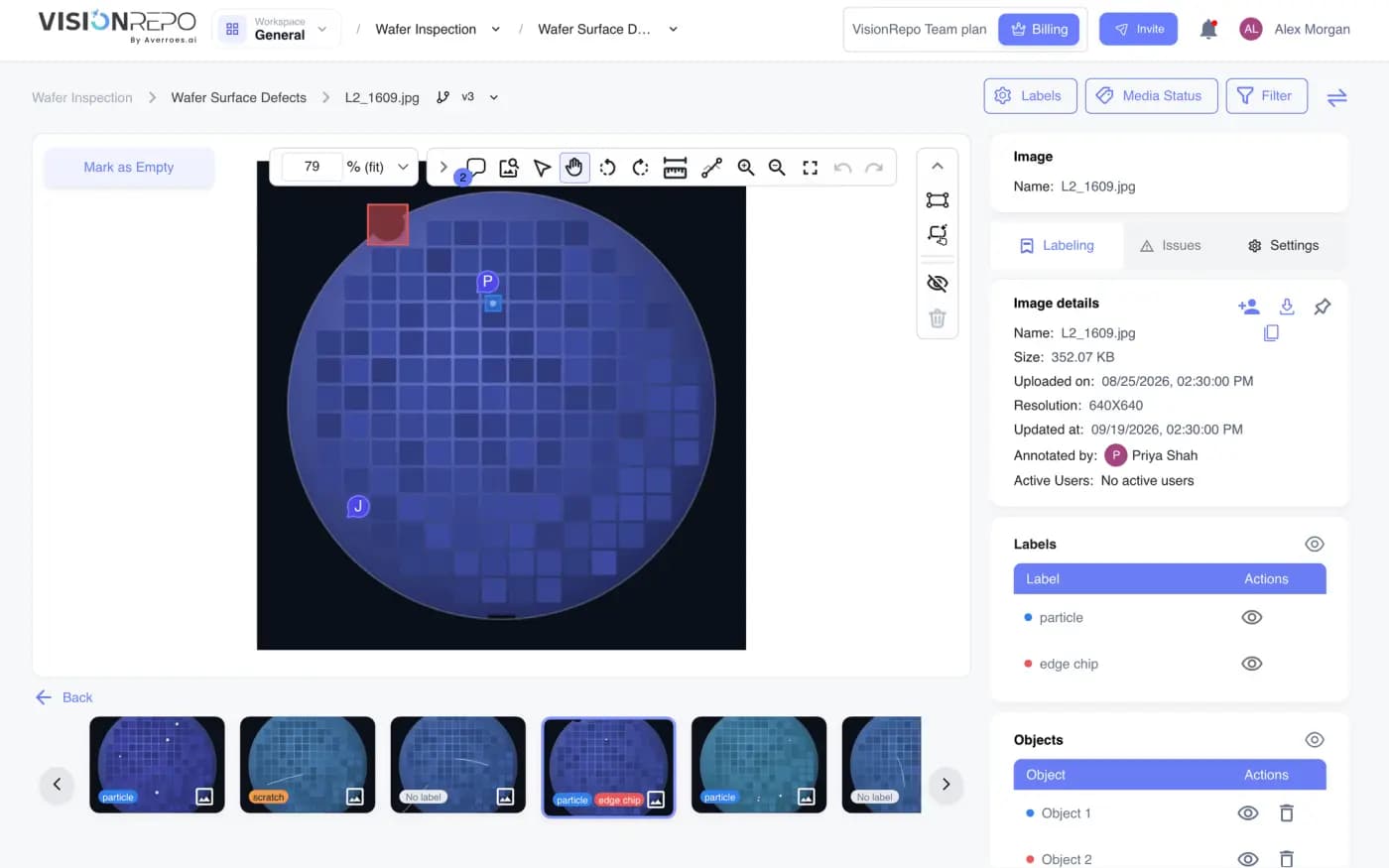 Sample data
Describe it once. Vero labels the folder.
Vero labels up to 20,000 images per job from a description or one example, then reviews every image.
- Labels arrive as drafts
- Approve before anything runs
- Works on a brand-new repository
Auto annotation: label a few. Let the model do the rest.
Train on your first labels, let the model draft the rest, then review and retrain.
- Runs only on unlabeled images
- Tagged “Auto Labeling” for review
- Pro and Ultra
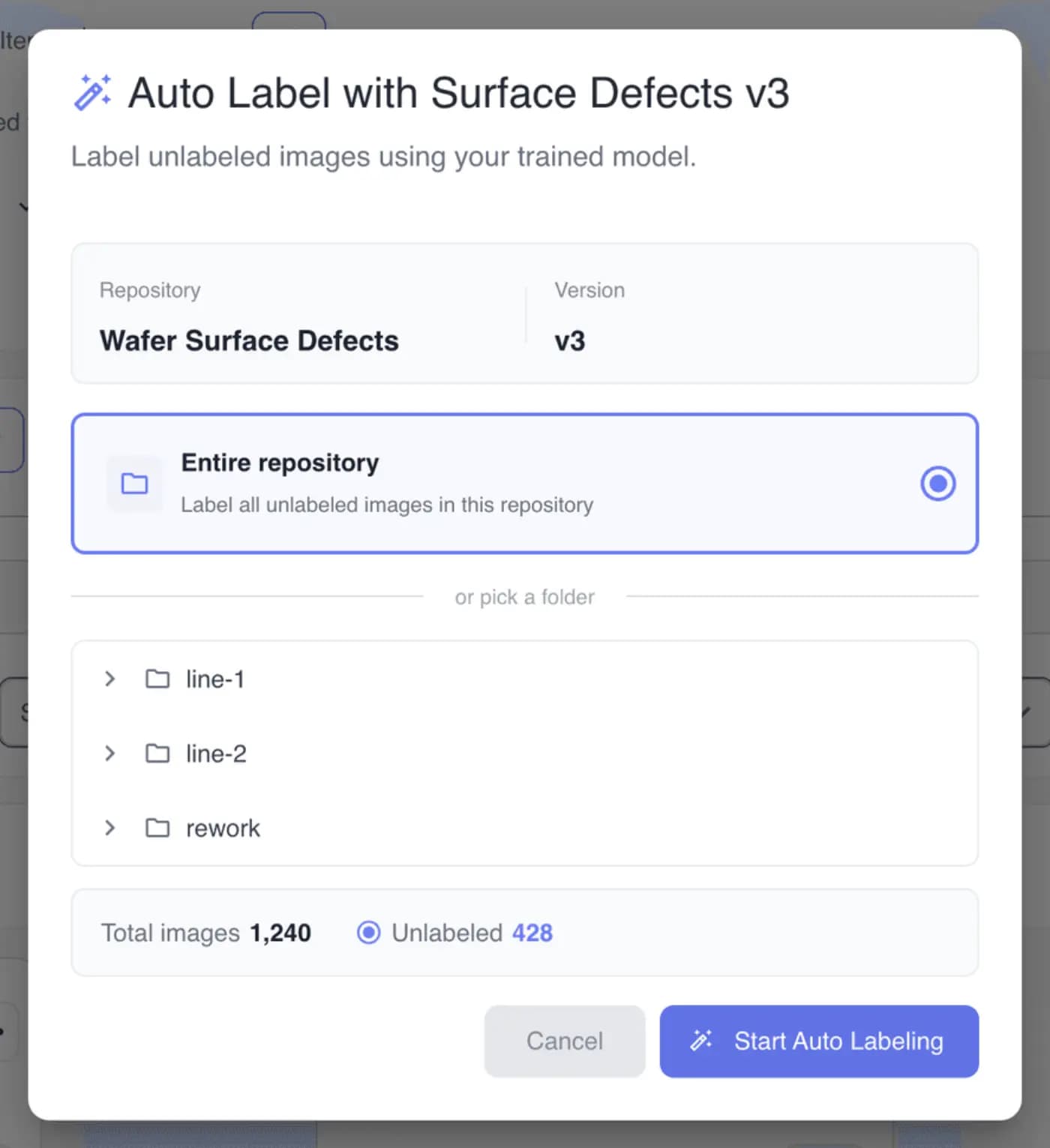 Sample data
Label images as a team. Check them once.
Labeling, Review and Issue tasks with due dates. Reviewers mark each label Correct or Incorrect.
- Per-person accuracy and rejection rates
- Ctrl+C correct, Ctrl+I incorrect
- Issues for missing or wrong labels
Annotate images here. Export them anywhere.
Import COCO JSON, Pascal VOC XML or YOLO TXT with your images. Export in the format your model expects.
Exports on Pro and Ultra; the dialog shows the formats for the repository's task type. Organize your data
Labeling questions.
What can I label?
Images and video frames, with boxes, polygons, brush masks and whole-image classes. Videos are labeled frame by frame after frame extraction (Ultra).
What are Smart Box and Smart Polygon?
Click an object and the tool outlines it for you. Left-click adds a point, right-click removes an area.
How is Vero different from auto-labeling?
Auto Label runs a model you trained. Vero labels from a plain description or one example, so it works on a brand-new repository with no model.
Do AI labels go straight into my dataset?
No. They land as unsaved draft changes. Review them yourself or hand them out as a review task, then save a version.
Can I bring labels from another tool?
Yes. Upload COCO JSON, Pascal VOC XML or YOLO TXT files together with the images.
Does Vero label classification repositories?
Not yet. Vero draws boxes in object detection repositories and outlines in segmentation repositories.
Is VisionRepo an online annotation tool?
Yes. It is image annotation software that runs in your browser, so there is nothing to install. Annotate images and video frames with boxes, polygons, brush masks or whole-image classes.
Can I use it as a polygon annotation tool?
Yes. Segmentation repositories have Polygon, Polyline, Brush and Smart Polygon, which outlines an object in one click.
Does it work as a YOLO annotation tool?
Yes. Import YOLO TXT labels with your images, and export YOLO formats up to v8 and OBB on Pro and Ultra.
Is it an image labeling tool for teams too?
Yes. On Pro and Ultra you hand out labeling and review tasks and see each person's accuracy.
Label your first dataset today.
Free plan, no credit card. Bring your own images or start from a sample.